Two-Phase Generation Strategy
Generation uses a two-phase workflow to ensure quality:- Phase 1: Pilot Optimization: Runs several iterations, generating small batches for validation and refinement. You can provide feedback to improve or customize your personalized generation agentic system.
- Phase 2: Large-Scale Generation with Online Monitoring: Uses the optimized generation agentic system from Phase 1 to generate your complete dataset at scale.
Parameters
You must provide either
schema_file or mcp_server_url as the function schema source.Phase 1: Pilot Optimization
After you confirm the configuration, Phase 1 begins. The system runs several iterations, each producing a small batch of samples for validation. The CLI displays a live progress tracker showing the current iteration, elapsed time, and workflow pipeline status.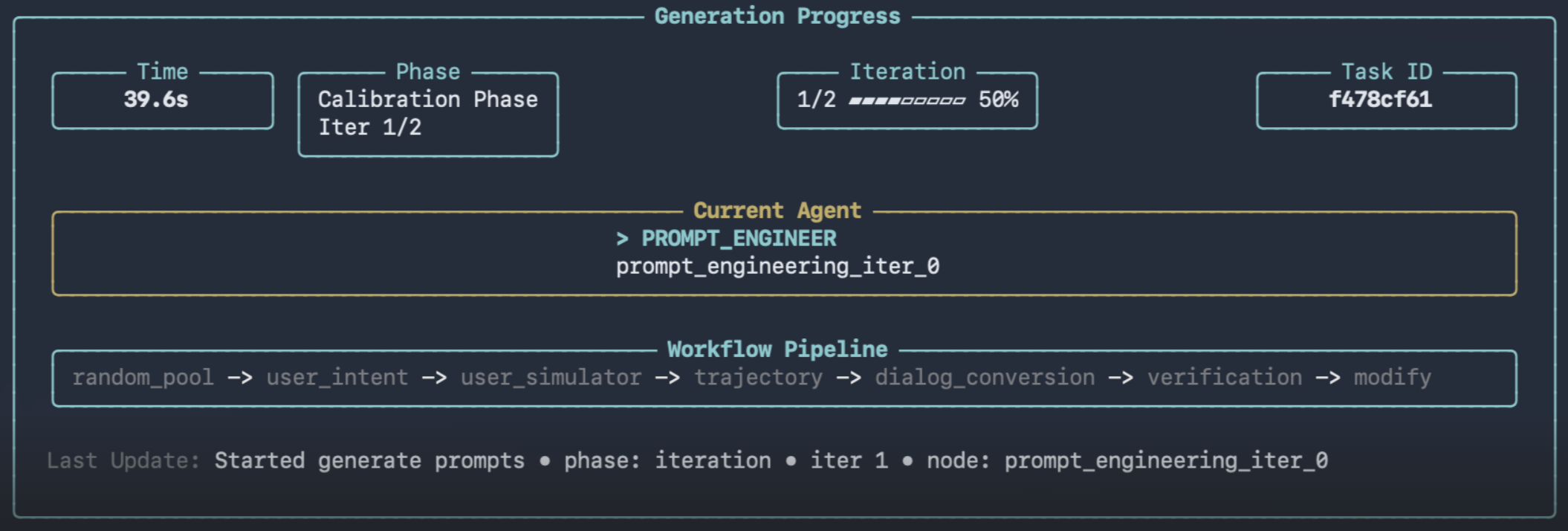
Provide Feedback
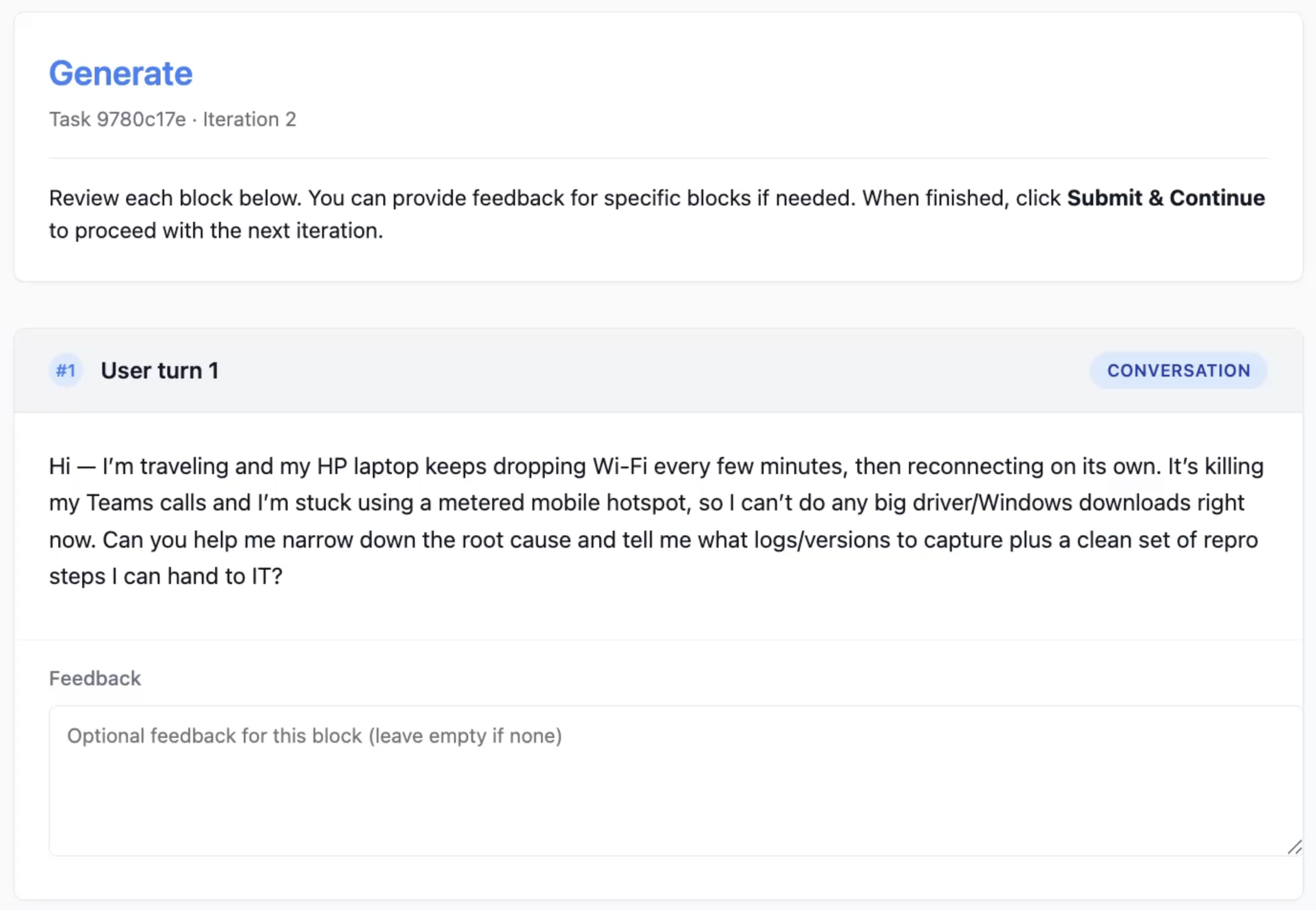
During each Phase 1 iteration, the CLI opens a browser-based review interface displaying the generated samples. You can:- Review each generated conversation
- Add per-sample feedback in the provided text areas
- Submit with no feedback if the samples look good
Phase 2: Large-Scale Generation with Online Monitoring
Phase 2 starts automatically once Phase 1 completes. The system uses the optimized generation strategy to produce your full dataset at the target scale, processing in batches. The CLI continues showing progress until the run finishes.Completion
Upon completion:
The sampling config file can be reused for future resample operations to skip Phase 1.
Resample: Quick Generation with Saved Config
If you are satisfied with a previous generation, use resample to skip Phase 1: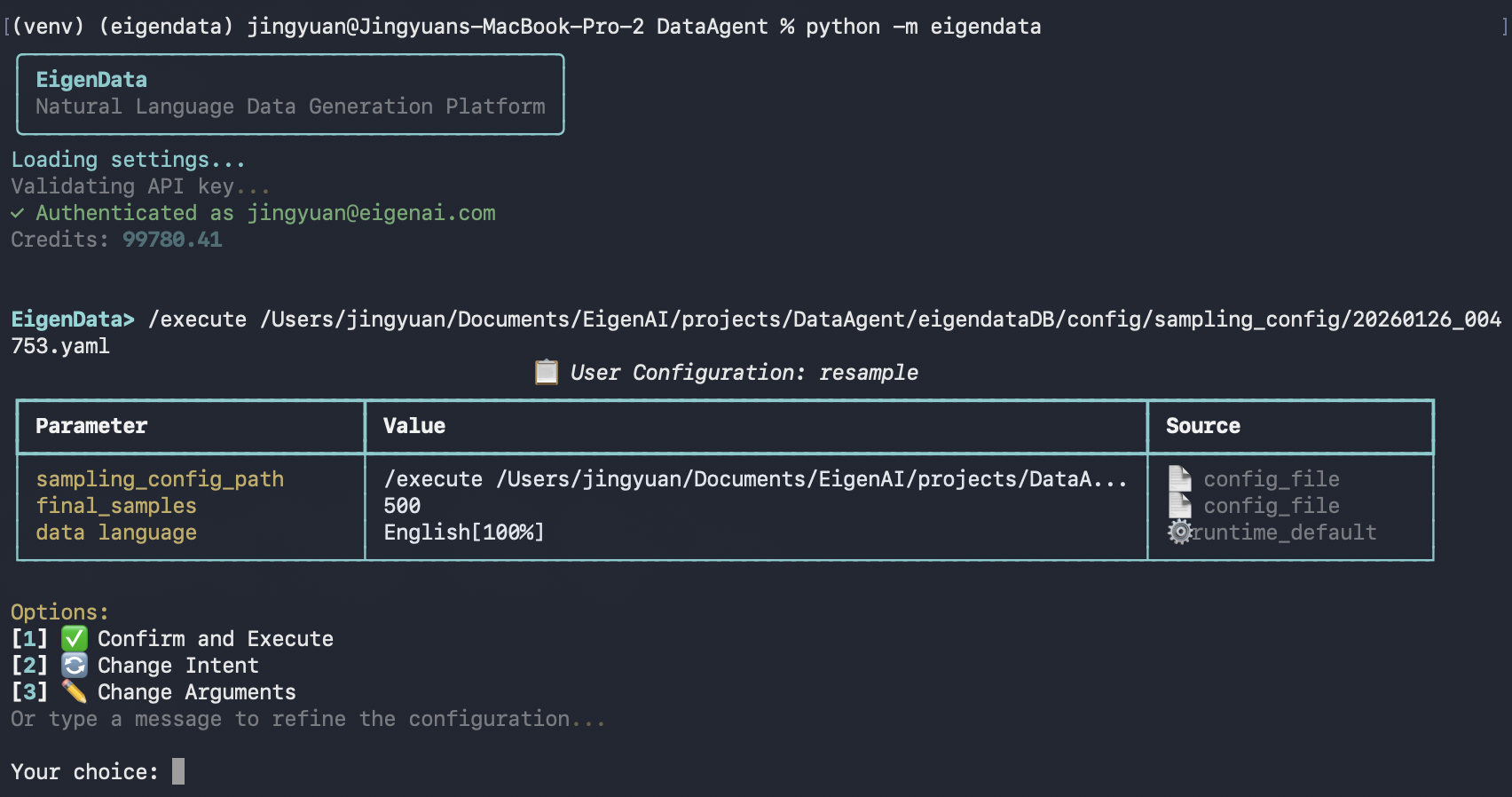
Output
After a run completes, results are saved underoutputs/ as a new run directory, for example:
outputs/generated_data_<run_id>/
generated_data.jsonl- The generated dataset in JSONL formatdatapoints/- One JSON file per sample (expanded view ofgenerated_data.jsonl)metadata.json- Run metadata (task type, parameters, primary files, timestamps)
Example Output: Tau2-Bench Airline Domain
Below is an example of 20 multi-turn function-calling dialogs generated for the Tau2-Bench airline customer service domain. Each sample is a realistic conversation involving booking, modification, cancellation, refunds, and baggage handling — with tool calls to airline backend APIs.Sample dialog excerpt
Sample dialog excerpt
User:Assistant → Assistant:
Hi, this is Emma Smith, user id emma_smith_9363. I have three things I need handled across my bookings: 1) Please cancel reservation E9TZTU with a full refund. 2) Change the flights for reservation 1YVFB9 to travel on 2024-05-28 instead of 2024-05-27 AND upgrade to business class. 3) Add 2 checked bags to reservation …Assistant →
get_user_details({"user_id": "emma_smith_9363"})Tool response:get_reservation_details({"reservation_id": "E9TZTU"})Tool response:I’ve pulled up your details. Let me walk through each request. For reservation E9TZTU — this is a basic economy round-trip flight from PHL to DTW. I need to let you know that basic economy reservations can only receive a refund as travel certificates, not a full cash refund …
- 20 samples, averaging 37 messages per dialog
- 4–20 tool calls per conversation across functions like
get_user_details,get_reservation_details,cancel_reservation,update_reservation_flights,book_reservation, and more - Covers diverse scenarios: cancellation, flight modification, baggage updates, refunds, payment handling, insurance, and membership-related requests
Download sample data
20-sample JSONL file (OpenAI format)
Browse dialogs interactively
Interactive HTML dialog viewer
Using /execute
You can also run data-generate non-interactively via/execute with a YAML config.
Prerequisites
- You have a YAML configuration file available.
- You provide a schema source (
schema_fileormcp_server_url).