How It Works
Schema Polish uses a two-phase approach:- Phase 1: Pilot Optimization: The system samples a subset of your schemas and proposes improvements. You can accept, reject, or provide feedback on each change.
- Phase 2: Large-Scale Generation with Online Monitoring: After Phase 1, the refined patterns are applied to all remaining schemas for final confirmation.
Parameters
Either
schema_file or mcp_server_url must be provided.
This feature uses the standard chatbot interaction flow. Describe what schema refinement you want in natural language, and the CLI guides you through parameter collection and confirmation.
Phase 1: Pilot Optimization — Review iteration diff
After refinement runs, the CLI displays a side-by-side comparison for each schema change.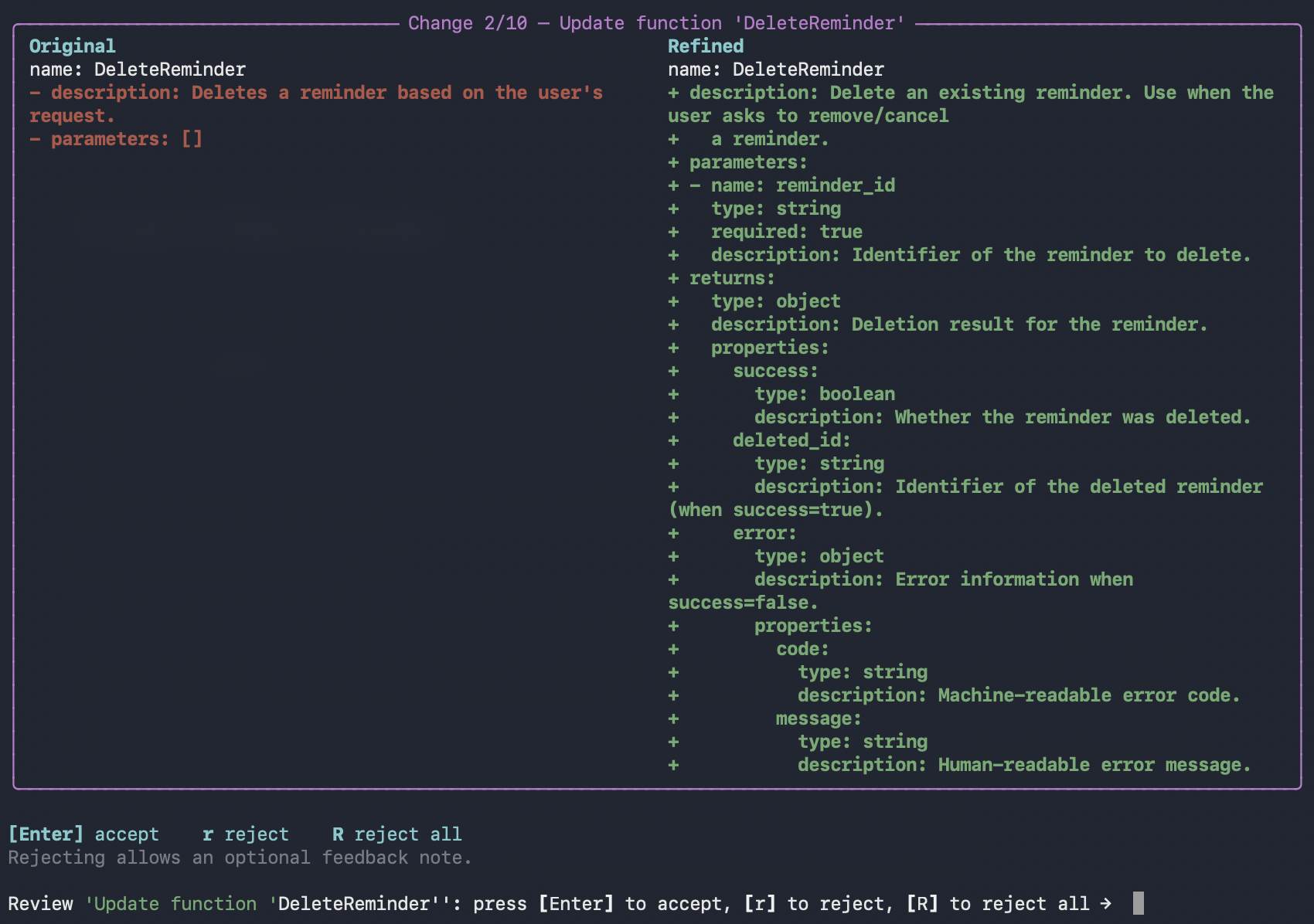
Accept or reject changes
Use the keyboard shortcuts to review each change:- Press
Enterto accept the current modification - Press
rto reject and provide feedback - Press
Rto reject all remaining modifications
Phase 2: Large-Scale Generation — Final confirmation
After Phase 1 iterations complete, Phase 2 presents all schemas for final confirmation: In Phase 2, you can still accept or reject each change, but no feedback is collected for further iteration.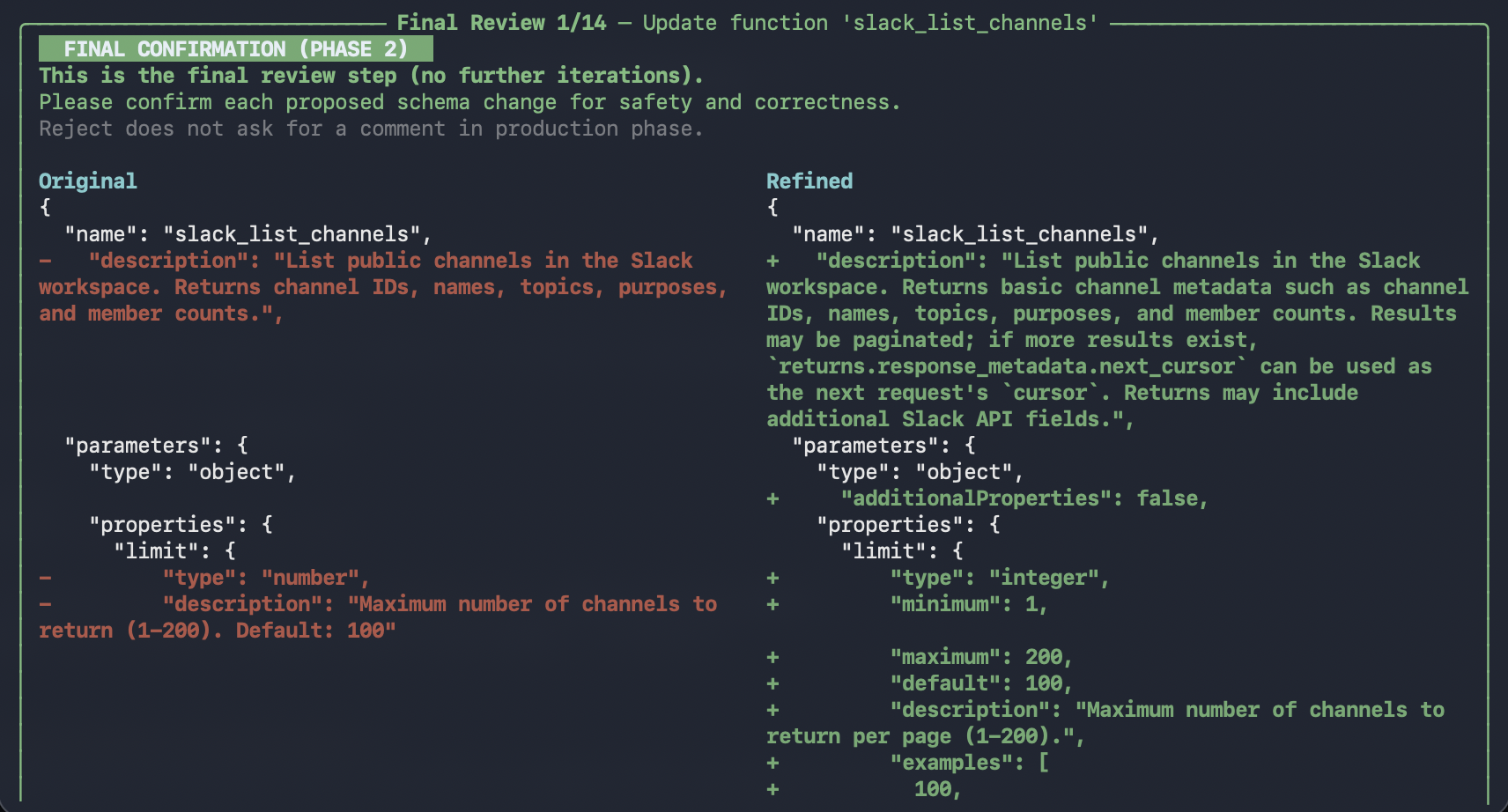
Completion
Once all schemas are confirmed:
Output
After a run completes, results are saved underoutputs/ as a new run directory, for example:
outputs/refined_schema_<run_id>/
refined_schema.jsonorrefined_schema.yaml- The refined schema (matches your input format)metadata.json- Run metadata (task type, parameters, primary files, timestamps)
Using an MCP Server
You can also refine schemas from an MCP server instead of a local file. Simply mention the MCP server URL in your conversation:Using /execute
You can also run schema-polish non-interactively via/execute with a YAML config.
Prerequisites
- You have a YAML configuration file available.
- You provide a schema source (
schema_fileormcp_server_url).