> ## Documentation Index
> Fetch the complete documentation index at: https://docs.eigenai.com/llms.txt
> Use this file to discover all available pages before exploring further.
# Data Audit
> Inspect data against the schema and business rules, analyze function coverage, and produce a structured report highlighting issues, anomalies, coverage gaps, and quality metrics.
## Overview
Data Audit inspects your datasets against the schema and business rules, analyzes the distribution and coverage of functions used in the data compared to the full list of available functions, and produces a structured report highlighting issues, anomalies, coverage gaps, and quality metrics. Use this feature to ensure your data meets quality standards before training or deployment.
## What Gets Audited
The audit examines multiple aspects of your data:
* **Schema Compliance** - Adherence to expected schema format and business rules
* **Data Completeness** - Missing fields, incomplete records
* **Function Coverage** - How well your data covers the available function definitions
* **Quality Metrics** - Conversation flow, response quality
* **Anomaly Detection** - Outliers, unusual patterns, and inconsistencies
* **Issue Identification** - Categorized problems with specific recommendations
## Parameters
| Parameter | Required | Description |
| ---------------- | -------- | --------------------------------------------------------------------------------------------- |
| `input` | Yes | Path to input data file or directory |
| `request` | No | Specific audit focus |
| `domain` | No | [Domain](/products/eigendata-cli/core-concepts/domain) context for audit |
| `schema_file` | No | Path to a local [schema file](/products/eigendata-cli/core-concepts/function-schema) |
| `mcp_server_url` | No | URL of an [MCP server](/products/eigendata-cli/core-concepts/mcp-server) providing the schema |
| `reference_doc` | No | Reference documentation path |
If `schema_file` or `mcp_server_url` is provided, the audit can additionally analyze function coverage, distribution, and error-function relationships against the full list of available functions'.
This feature uses the standard [chatbot interaction flow](/products/eigendata-cli/core-concepts/chatbot-interaction). Describe what you want to audit in natural language, and the CLI guides you through parameter collection and confirmation.
## Execution and Completion
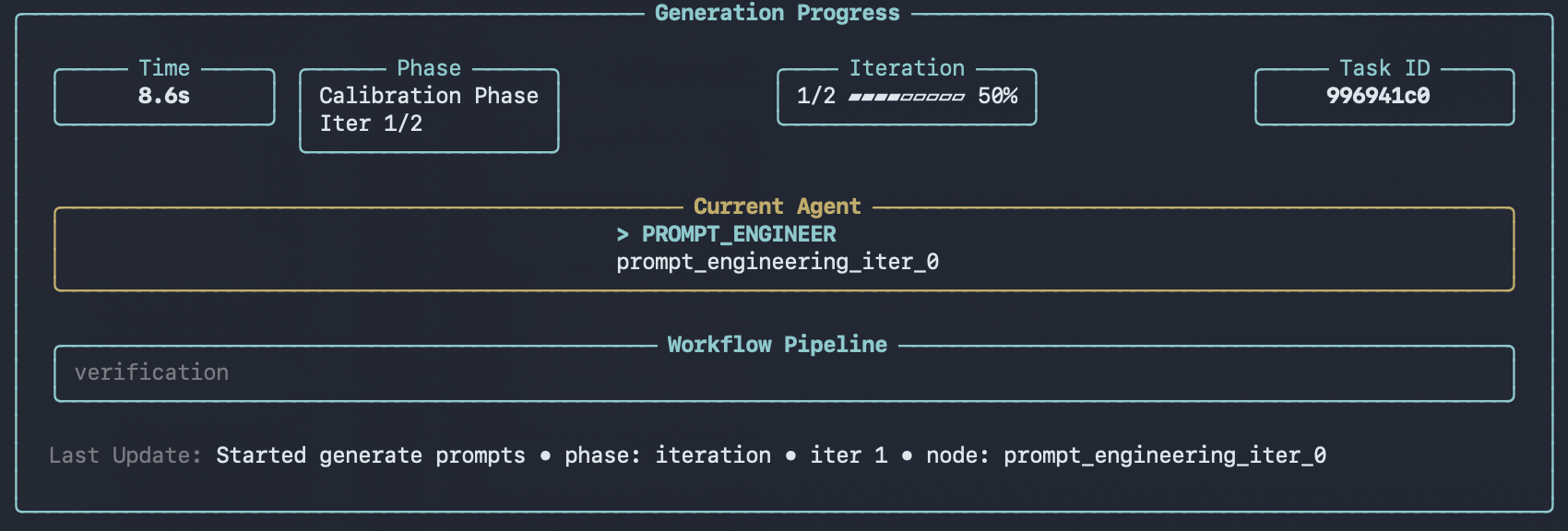
After confirmation, the CLI displays a progress panel showing real-time status as each record is audited. The panel updates dynamically with elapsed time and current processing status.
 Upon completion, the CLI saves the report and points you to the local viewer:
 ## Audit Report Statistics
In addition to per-sample quality inspection, the audit generates dataset-level statistics that provide a high-level overview of your data. These statistics are displayed in the [viewer](/products/eigendata-cli/utility-commands/view) after the audit completes.
### Tool Coverage
Shows how many of your defined functions are actually used in the dataset:
* **Supported functions total** - Number of functions defined in your schema
* **Involved functions total** - Number of functions that appear in the data
* **Coverage ratio** - Percentage of schema functions represented in the data
* **Uncovered functions** - List of functions not used in any conversation
### Function Distribution
Breaks down how frequently each function is called across all conversations:
* **Function name** - The function identifier
* **Count** - Total number of calls
* **Ratio** - Proportion relative to all function calls
### Error Distribution
Categorizes all issues found during the audit by type:
* **Error type** - Category of the issue (e.g., missing parameters, invalid values)
* **Count** - Number of occurrences
* **Ratio** - Proportion relative to all errors
### Error-Function Relationship
Maps which functions are associated with the most errors, helping you identify problematic tool definitions:
* **Functions with most errors** - Ranked list of functions by error count
* **Error types by function** - Which error categories affect each function
Fix issues found in the audit with [Data Repair](data-repair). For common error patterns, see [Troubleshooting](/products/eigendata-cli/reference/troubleshooting).
## Output
After a run completes, results are saved under `outputs/` as a new run directory, for example:
* `outputs/analysis_report_/`
Inside the run directory:
* `analysis_report.json` - The audit report (includes dataset-level statistics)
* `metadata.json` - Run metadata (task type, parameters, primary files, timestamps)
This task does not write a `datapoints/` directory.
The [viewer](../utility-commands/view) can browse and render these outputs.
## Using /execute
You can also run data-audit non-interactively via [`/execute`](../utility-commands/execute) with a YAML config.
**Prerequisites**
* You have a YAML configuration file available.
* You configure a schema source via `/configure`, or provide one in the YAML config (for example, `mcp_server_url`).
```yaml theme={null}
task: data-audit
input: ./outputs/generated_data_task_001.jsonl
mcp_server_url: http://127.0.0.1:8009
```
## Audit Report Statistics
In addition to per-sample quality inspection, the audit generates dataset-level statistics that provide a high-level overview of your data. These statistics are displayed in the [viewer](/products/eigendata-cli/utility-commands/view) after the audit completes.
### Tool Coverage
Shows how many of your defined functions are actually used in the dataset:
* **Supported functions total** - Number of functions defined in your schema
* **Involved functions total** - Number of functions that appear in the data
* **Coverage ratio** - Percentage of schema functions represented in the data
* **Uncovered functions** - List of functions not used in any conversation
### Function Distribution
Breaks down how frequently each function is called across all conversations:
* **Function name** - The function identifier
* **Count** - Total number of calls
* **Ratio** - Proportion relative to all function calls
### Error Distribution
Categorizes all issues found during the audit by type:
* **Error type** - Category of the issue (e.g., missing parameters, invalid values)
* **Count** - Number of occurrences
* **Ratio** - Proportion relative to all errors
### Error-Function Relationship
Maps which functions are associated with the most errors, helping you identify problematic tool definitions:
* **Functions with most errors** - Ranked list of functions by error count
* **Error types by function** - Which error categories affect each function
Fix issues found in the audit with [Data Repair](data-repair). For common error patterns, see [Troubleshooting](/products/eigendata-cli/reference/troubleshooting).
## Output
After a run completes, results are saved under `outputs/` as a new run directory, for example:
* `outputs/analysis_report_/`
Inside the run directory:
* `analysis_report.json` - The audit report (includes dataset-level statistics)
* `metadata.json` - Run metadata (task type, parameters, primary files, timestamps)
This task does not write a `datapoints/` directory.
The [viewer](../utility-commands/view) can browse and render these outputs.
## Using /execute
You can also run data-audit non-interactively via [`/execute`](../utility-commands/execute) with a YAML config.
**Prerequisites**
* You have a YAML configuration file available.
* You configure a schema source via `/configure`, or provide one in the YAML config (for example, `mcp_server_url`).
```yaml theme={null}
task: data-audit
input: ./outputs/generated_data_task_001.jsonl
mcp_server_url: http://127.0.0.1:8009
```